Deploy Laravel app on a subdomain on Hostinger
Here is a tutorial to deploy a Laravel app on a subdomain on Hostinger. I used a Laravel app that I created with Laravel Breeze and Inertia.js. I will use React as frontend framework.
First of all, you need to create a subdomain on your Hostinger account. You can do it on the Domains section. I created a subdomain called test and I will use it to deploy my Laravel app.
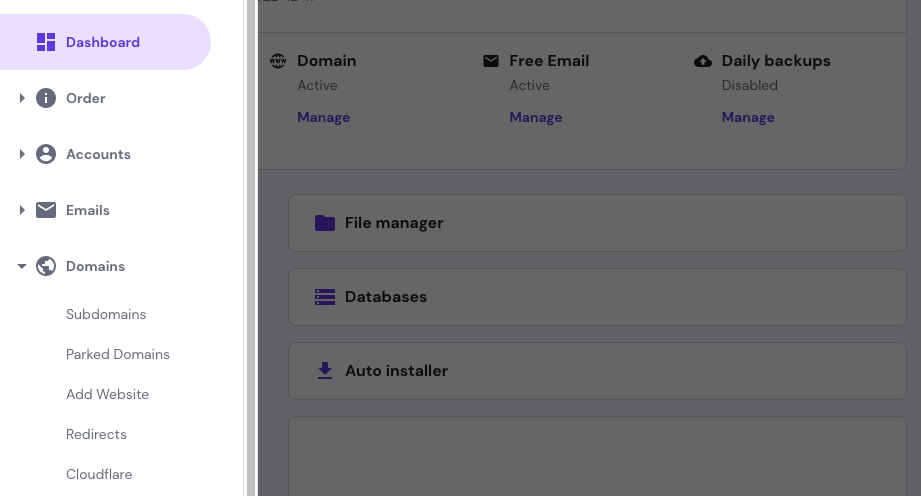
Then, you need to create a database on your Hostinger account. You can do it on the Databases section.
Now, you need to go to the File Manager section and create a folder called test on the public_html folder. Inside this folder go the public files of your Laravel app.

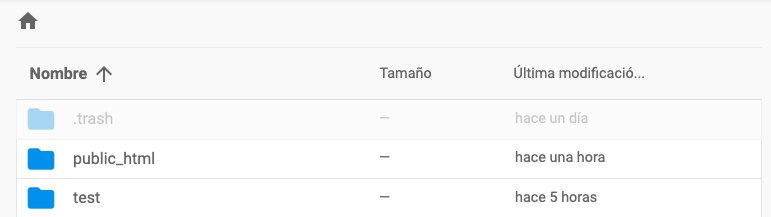
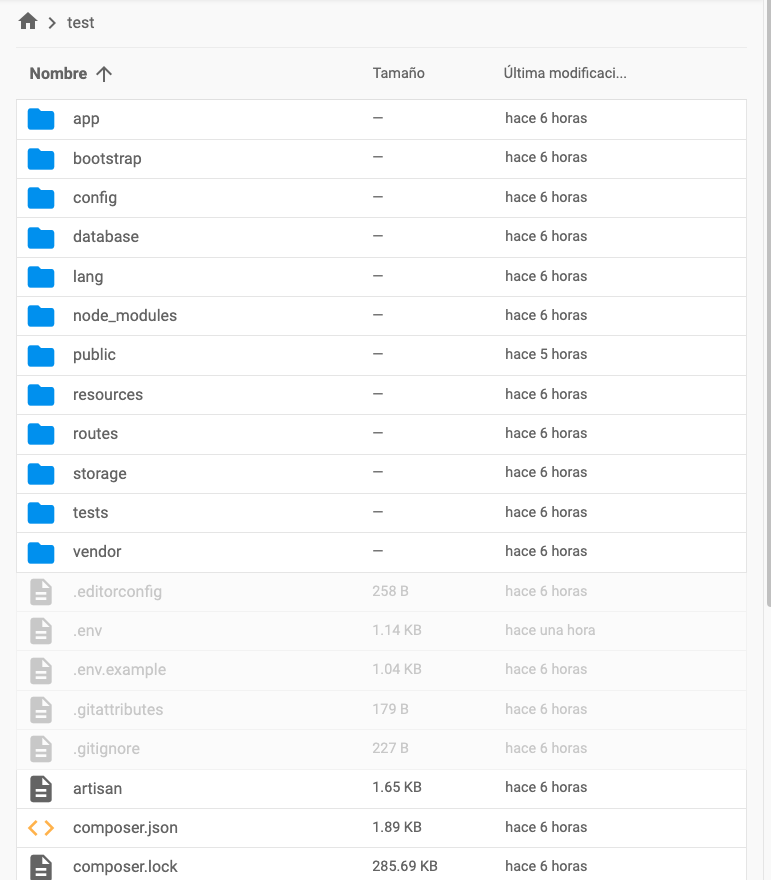
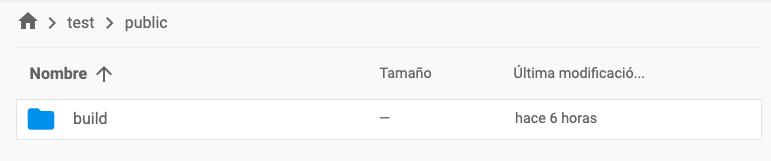
After that, you need to create a folder called test on the root of file manager. Where public_html is. Inside this folder go all the rest of the files of your Laravel app. On the public folder only go the folder build.
Last step is to update .env file with the database credentials and the subdomain.
Resuming
public_html/testfolder: contains the files ofpublicfolder of your Laravel app.testfolder: contains all the rest of the files of your Laravel app. On thepublicfolder only go the folderbuild..envfile: update the database credentials and the subdomain.
That's it. Now you can access your Laravel app on the subdomain that you created.